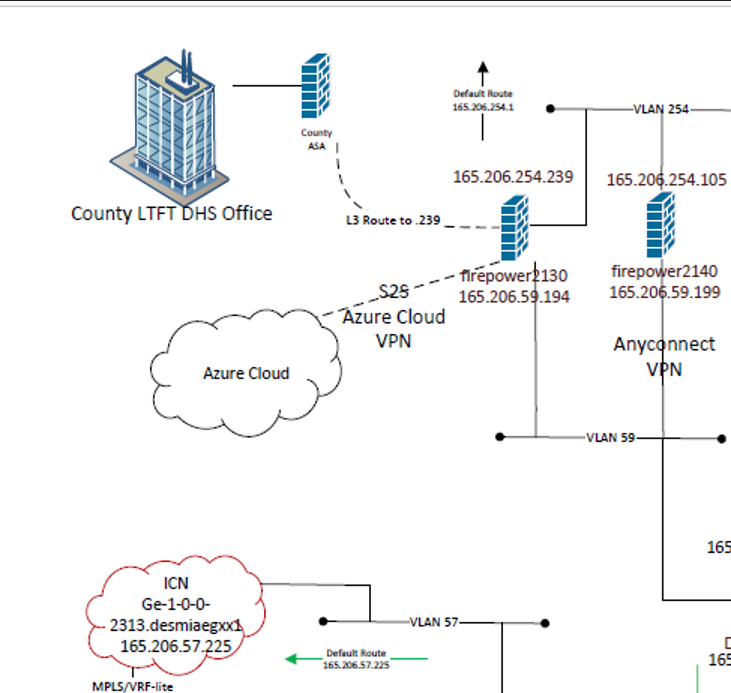
Azure HHS IP Addressing #
Address Space supplied to Azure from on-prem #
172.19.0.0/16 is the entire block linking Azure to on-prem. Of that, 172.19.20.0/24 is assigned to OCIO.
VPN #
- Current
prod-vpn-ang - Future
vcn-iowadhs-azc-ntwk-vpn-pltf-prd-ncus-001for VPN connection.vpngfor gateway.
This set exactly covers the range 172.19.0.0 through 172.19.50.255 with no extras.
| CIDR Block | Range Start | Range End | Notes |
|---|---|---|---|
172.19.0.0/20 |
172.19.0.0 |
172.19.15.255 |
|
172.19.16.0/22 |
172.19.16.0 |
172.19.19.255 |
|
172.19.20.0/24 |
172.19.20.0 |
172.19.20.255 |
assigned to OCIO |
172.19.21.0/24 |
172.19.21.0 |
172.19.21.255 |
|
172.19.22.0/23 |
172.19.22.0 |
172.19.23.255 |
|
172.19.24.0/21 |
172.19.24.0 |
172.19.31.255 |
|
172.19.32.0/20 |
172.19.32.0 |
172.19.47.255 |
|
172.19.48.0/23 |
172.19.48.0 |
172.19.49.255 |
|
172.19.50.0/24 |
172.19.50.0 |
172.19.50.255 |
ExpressRoute #
erc-iowadhs-azc-ntwk-exrt-pltf-prd-ncus-001
This list precisely covers everything from 172.19.51.0 through the end of the given /16 range (172.19.255.255) — no overlaps, no gaps, and no extra IPs.
| CIDR Block | Range Start | Range End |
|---|---|---|
172.19.51.0/24 |
172.19.51.0 |
172.19.51.255 |
172.19.52.0/22 |
172.19.52.0 |
172.19.55.255 |
172.19.56.0/21 |
172.19.56.0 |
172.19.63.255 |
172.19.64.0/18 |
172.19.64.0 |
172.19.127.255 |
172.19.128.0/17 |
172.19.128.0 |
172.19.255.255 |
Plan to Migrate VNets from VPN to EXRT #
- Move peered vnets one by one, work with app teams
- Record all peerings in this documentation
- Remove current VPN and bring it under connectivity subscription
- Codify it with everything else and use as failover from EXRT
Azure Network Diagram #
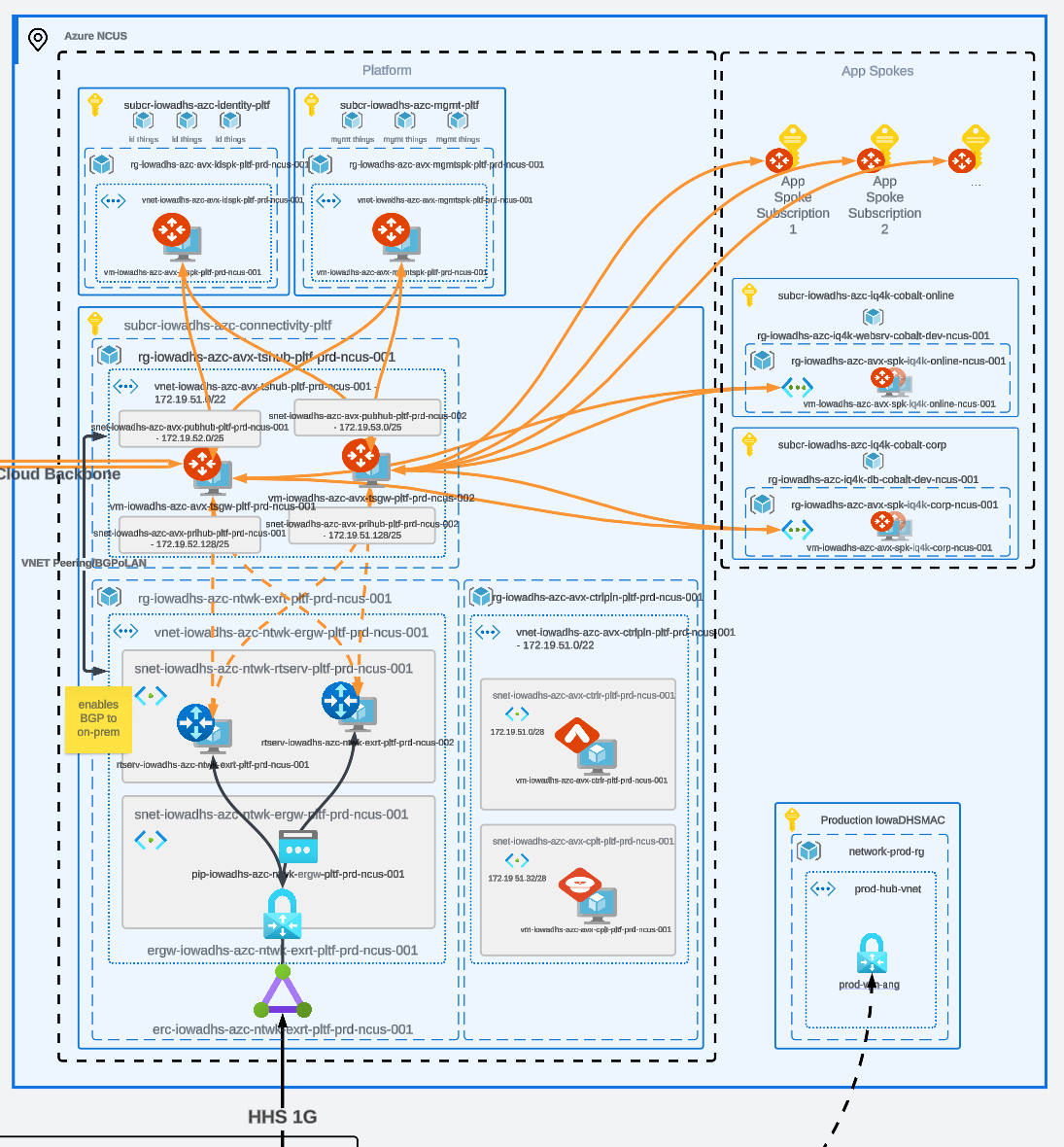
On-prem networking to Azure #